Chipsets, and Why They Matter.
The chipset may not be the most talked about of computer parts but it's definitely one of the most important. Whether you are a Intel processor owner, or a AMD buff, you will need the perfect chipset in order to maximize your processors' capabilities. Below are a list of chipsets that range from the "average household" chipset to the "top of the line" chipsets. You pick the chipset that's best for you.
Let's begin by explaining some of the common Intel chipsets, from the 440BX to the i850. These models are currently being used in systems worldwide. Ranging from the 440BX, which is the "low-end" model for PIII users, to the i850 chipset that is Intel's finest chipset released.
The 440BX AGPset was the first chipset to support the Pentium III processor. This chipset acts as the "second generation" of Pentium AGPsets, in that it improves the system bus speeds from 66MHz to 100MHz, while also increasing the width and depth of buffers to the AGP, SDRAM, and PCI bus. Upgrading the SDRAM to allow 100 MHz was a great feature, in that it boosted the speed of the CPU. Nowadays the limit of 100MHz is too small to mess with. Sure PC100 SDRAM is fine in most systems, but what about the future? Nobody will be chatting about PC100 SDRAM; most talk will refer to more current technology such as the PC800 RDRAM. However. The 440BX AGPset is not yet obsolete, it's just that so many vast improvements have been made for the PIII technology, why would you bother with low-end chipsets? You can find the vast improvements on Intel's series of chipsets on the i800 models.
Intel's 810 Chipset was the "new beginning" for market chipsets. The i810 supports the PIII, PII, and Celeron Processors. With CPU bus speeds of only 100 MHz and 66MHz, the chipset is far to weak for high-end systems. The i810 supports up to 512 MB of PC100 SDRAM, and with today's technology, this amount is too little to handle. The i810 is typically found in "family" computers. In reality bus speeds are too low, and SDRAM compatibility only goes up to 512 MB. A bit too little, too much, but maybe that's why Intel released an upgraded i810, known as the i810E.
The i810E supports the PIII, PII, and Celeron Processors just as the i810 did. Like the i810, the chipset only supports SDRAM up to 512MB however. In fact, the only change made to the chipset was an improved bus speed of 133MHz and 4MB of SDRAM to the AGP Controller. The added 133MHz bus speed puts this chipset in the mainstream for high-end processors and CPUs.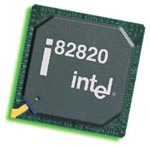
It still lacks what all Intel high-end chipsets have in common, and that is the RDRAM support. The first Intel based chipset to support RDRAM (Rambus RIMM's) was the i820 chipset, a vast improvement over the previous chipsets.
The i820 chipset is a big step from the previous i800 models; being more powerful, more speed, and more reliable. Supporting the PIII, and the PII with bus speeds of 100 and 133MHz, the i820 is impressive indeed. Also, with RDRAM support, the i820 looks even more attractive than before. This chipset supports up to 1GB of 266-400MHz RDRAM. SDRAM is optional if you prefer it, but you must have a special part known as the "Memory Translator Hub
" (820805AA) in order to use SDRAM. The i820 chipset is great for the PIII or PII user, offering RDRAM and SDRAM (if you prefer) support with high bus speeds of 100 and 133MHz. Unfortunately for boards with the i820 chipset, RDRAM is very expensive to acquire.
The next chipset produced was the i840. This is one of Intel's finest chipset releases. The i840 supports only the PIII and PIII Xeon with bus speeds of 133Mhz and 100Mhz, but what makes this wonder stand out is that it supports DUAL processors, oh yeah, that's right.two processors! Not only does the i840 chipset support dual processors, but it also has dual RDRAM channels which support up to 4GB! In addition, the i840 supports AGP Pro, giving the graphics 1GB/s of bandwidth transfer. The i840 chipset was a fine production, in that it met up with the latest technology standards. However soon after the release Intel decided to release the Pentium 4 Processor. No previous chipset could even begin to support this processor, so Intel then released the i850, a chipset designed specifically for the Pentium 4 Processor.
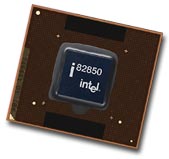 The i850 was solely designed for the P4 in that it cannot support any other legacy Intel CPU. Intel doubled the length of the pipeline between the processor and the chipset, which enables higher performance characteristics. Supporting bus speeds three times greater than any other previous technology with a whopping 400MHz, surely you can see that this is Intel's prime chipset. The i850 chipset has dual RDRAM compatibility with up to 2GB of memory. Only PC600 and PC800 RDRAM memory modules are supported with this chipset which entitles you to own a computer that is nothing short of "fast." With the i850, you will not be in doubt that you own the best for quite some time. Time will only tell when it will become obsolete, but know now that the i850 has the cutting-edge technology for all the P4 owners.
Enough about Intel Chipsets, time to dive into AMD chipsets, the affordable chipsets that we all have grown to love.